Sangfor HCI uKey convert Vkey
For the step UKEY change to VKEY:
Step 1: Download Sangfor Checks
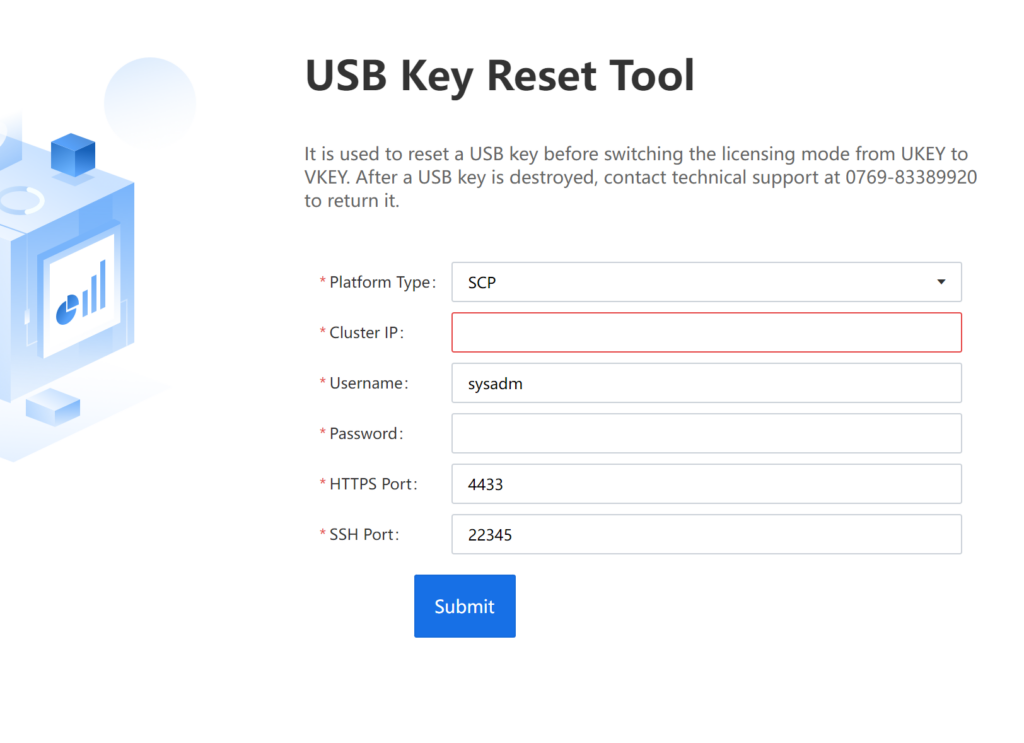
Step 2: Run USB Key Reset Tool
-Run the tool on Sangfor Checks to connect to the HCI or SCP cluster that requires USB Key conversion
Step 3: Enter the confirmation code
-After successful reset, copy the generated confirmation code to edvance for processing
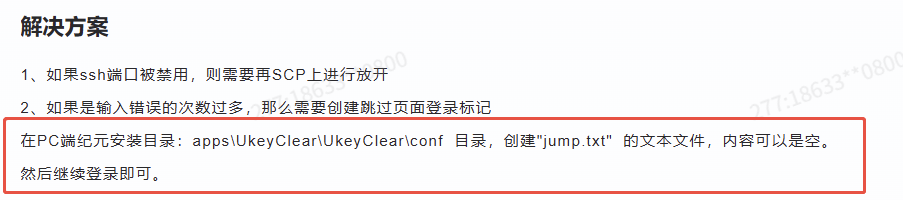
If sysadm account forget
Confirmation code as below:
psb2xw7NvG87v8v3XNPnt1smDmZc8qDIZB9sngqShl4tGd2ZAhBjY7AdHiGauXoulUZPq1D7ZrUWU5Axw9adCzQKTprrpL969o0a8dzM63cBvN0bTcXUIRrehBFS4AdihgrvWlAzkL1nX7ZJkHke/+Zf8jCIi/TBXvngu1UtDDnFT/bJV2VGEqChXqwBbjbiKW2tpSw8acHjvVQ0bdS0MWvtGIveCl+c3snFbvUoFj5+2+EPHHy96qdqK+Zo437FRsrdgenNYGcLzJuVtYtqAYxl6UsNomXfYGPF3Djb0LidnPMzFaolr1+8rvMAdY0rvn0kWMZ1lKI8mnGJ7mpLfA==
We have completed of the UKEY change to VKEY. Could you please provide the device information and we will assist to activate and export the license to you.