Proxmox 中安裝 Fortigate VM
Fortigate VM Download link
https://support.fortinet.com/support/#/downloads/vm
選擇 KVM Platform
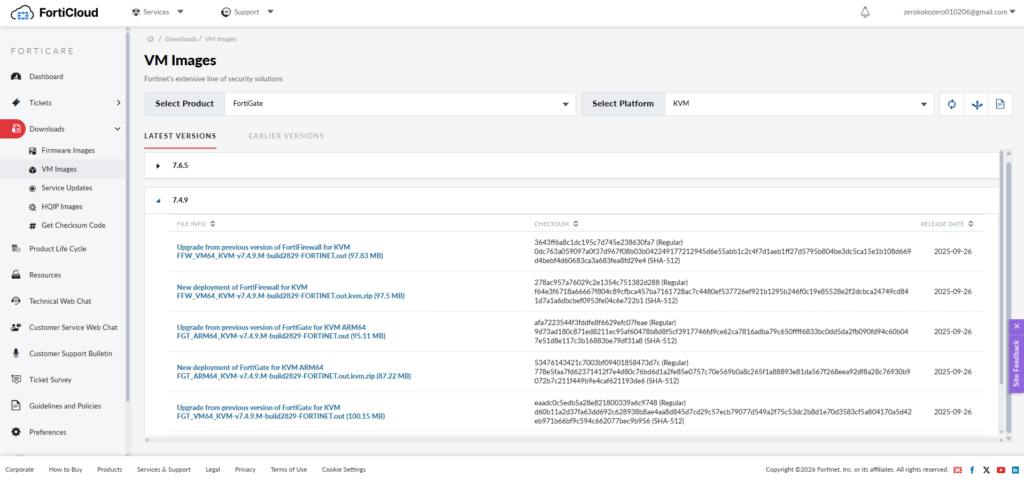
VM檔案格式是qcow2 需要將檔案上傳去Proxmox
可能需要將儲存的 類別 edit 將内容 添加 匯入
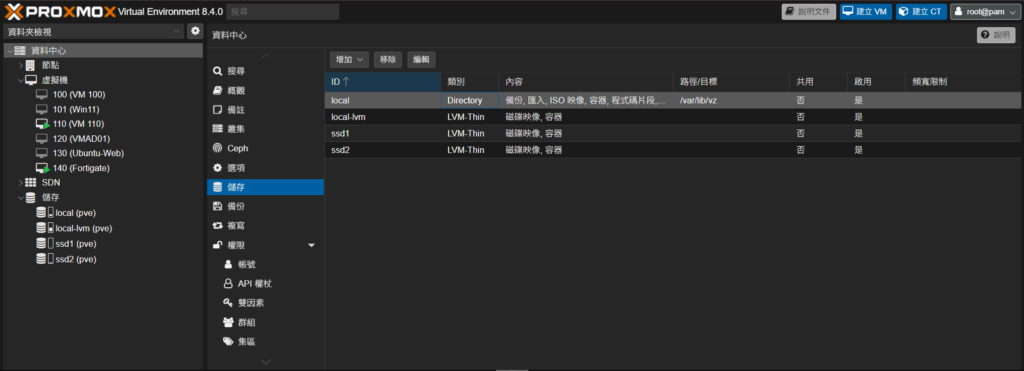
上傳之後要將qcow2檔案寫入VM的disk
在Proxmox 輸入cmd
qm importdisk <VMID> <disk-image> <storage>
假設你要匯入到 local 存儲池:
qm importdisk 140 /var/lib/vz/import/fortios.qcow2 local
如果要匯入到 ssd2:
qm importdisk 140 /var/lib/vz/import/fortios.qcow2 ssd2
開機boot 這個disk 就可以
為port1 config 確保能去Internet 綁定你的forti cloud 賬號
config system interface
edit port1
set mode static
set ip 192.168.0.99 255.255.255.0
set allowaccess ping http https ssh
next
end
config system dns
set primary 8.8.8.8
set secondary 1.1.1.1
end
config router static
edit 1
set device port1
set gateway 192.168.0.1
next
end
config system interface
edit port1
set mode static
set ip 192.168.0.99 255.255.255.0
set allowaccess ping http https ssh
next
end
config system dns
set primary 8.8.8.8
set secondary 1.1.1.1
end
config router static
edit 1
set device port1
set gateway 192.168.0.1
next
end